Overview
Enable tool calling to let your assistant execute complex tasks.
Everywhere supports built-in tools and tools based on the MCP (Model Context Protocol).
How to Use Built-in Tools
Built-in tools are distributed with the Everywhere application.
- On the Chat Tools page, check the tools you want to enable.
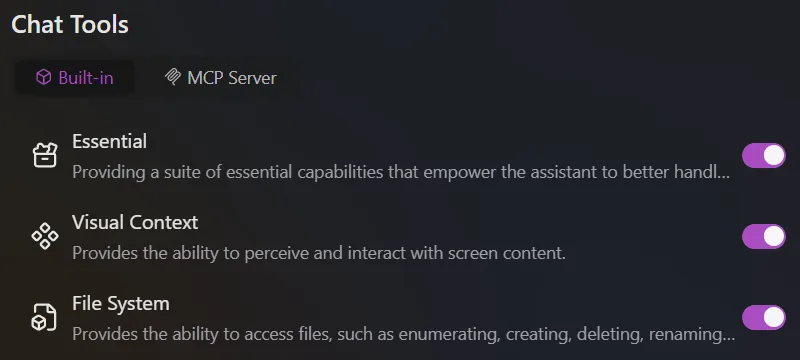
- When chatting with the model, make sure that:
- The model you are using supports Tool Calling. See Model Providers for how to obtain and configure a capable model.
- The Tool Calling option is enabled in the chat window.
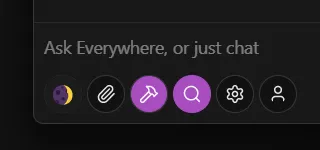
- When your message triggers a tool's functionality, the model may attempt to call the enabled tools to answer your question.
Limitations
Due to the inherent capabilities of the model, tool calling may not always work as expected. For example, the model might choose not to call a tool or may provide incorrect parameters when calling.
Contributing Built-in Tools
We welcome developers familiar with C# to contribute more built-in tools to Everywhere. If you have a great idea or have already implemented a tool, please share it with us by submitting a Pull Request.
How is this guide?
Last updated on