MCP
Connect external Model Context Protocol servers to extend your assistant with third-party tools.
Besides built-in tools, Everywhere can connect to tools provided by external MCP (Model Context Protocol) servers. Two transports are supported:
- Stdio — launches a local process and communicates over standard input/output.
- Streamable HTTP — connects to a remote server over HTTP.
SSE
HTTP+SSE Support has been deprecated in favor of Streamable HTTP. Please use Streamable HTTP for new servers.
On the Chat Tools page, open the MCP Server section. You can Add a server manually, or Import from an existing MCP configuration (JSON).
Adding a Server
Click Add to open the configuration dialog. Fields marked with * are required.
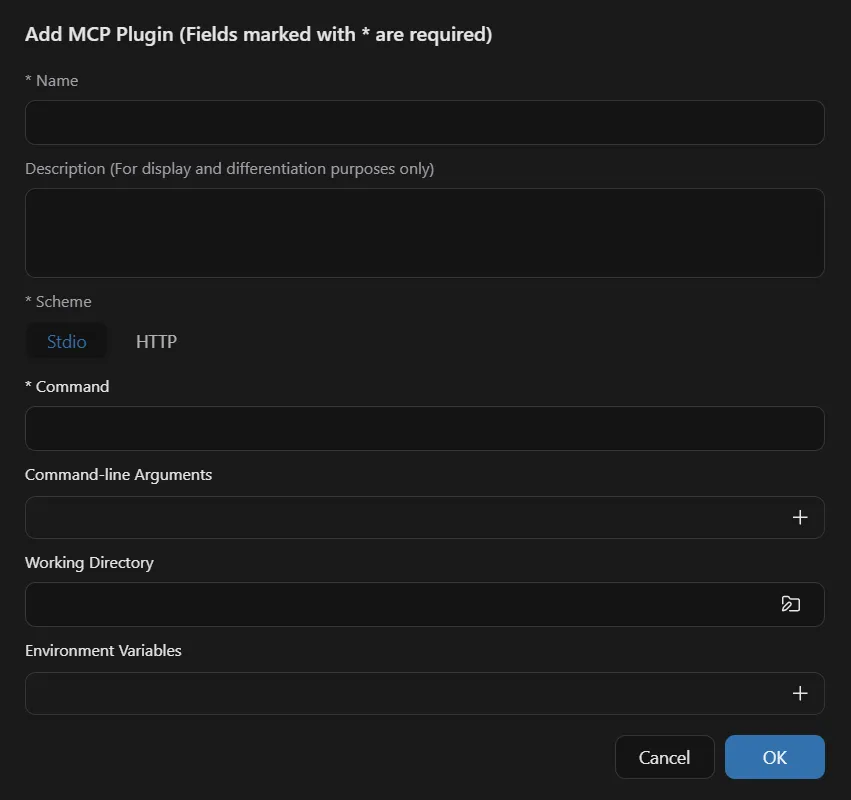
Stdio
| Field | Required | Description |
|---|---|---|
| Name | Yes | A unique name used to identify the server. |
| Description | No | For display and differentiation only; it does not affect behavior. |
| Scheme | Yes | Stdio |
| Command | Yes | The executable to launch, e.g. npx, uvx, or an absolute path. |
| Command-line Arguments (one per line) | No | Arguments passed to the command, added one entry at a time. |
| Working Directory | No | The directory the command runs in. Leave blank to use the default. |
| Environment Variables | No | Key-value pairs injected into the process environment, e.g. for API keys. |
HTTP
| Field | Required | Description |
|---|---|---|
| Name | Yes | A unique name used to identify the server. |
| Description | No | For display and differentiation only; it does not affect behavior. |
| Scheme | Yes | The transport: Stdio or HTTP (Streamable HTTP). The remaining fields change based on this choice. |
| URL | Yes | The URL of the MCP server. |
| Transport Mode | No | Auto Detect by default. You can also choose Streamable HTTP or SSE explicitly. |
| Request Headers | No | Optional headers for the HTTP request. |
Examples
Stdio: Filesystem Server
Grants access to a local directory via the official filesystem server, run through npx.
| Field | Value |
|---|---|
| Name | Filesystem |
| Scheme | Stdio |
| Command | npx |
| Command-line Arguments | -y · @modelcontextprotocol/server-filesystem · D:\Documents |
Streamable HTTP: DeepWiki
Connects to a public remote server that lets the assistant query documentation for open-source repositories.
| Field | Value |
|---|---|
| Name | DeepWiki |
| Scheme | HTTP |
| URL | https://mcp.deepwiki.com/mcp |
Trust
MCP servers run with the permissions you grant them and may execute local commands or send data over the network. Only add servers you trust.
How is this guide?
Last updated on