Skills
Extend Everywhere assistants with modular SKILL.md domain instructions and auto-discovered agent skills.
Skills let you package reusable domain workflows and instructions in SKILL.md files so assistants can discover and load them only when needed.
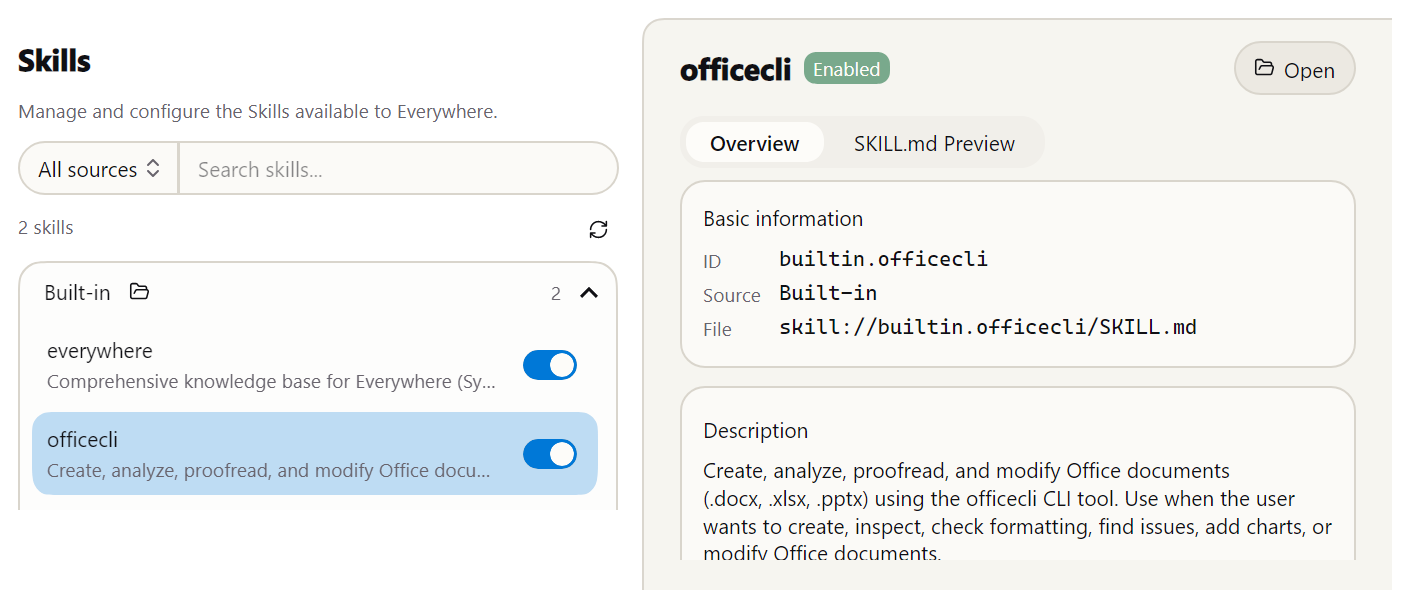
How Skills Work
- Everywhere includes a compact list of enabled skills (each skill's name, description, and location) in the system prompt via
{SkillsPrompt}. - When your request matches a skill's domain, the assistant uses Read File (or file/terminal tools for local folders) to read the full
SKILL.mdinstructions on demand—keeping baseline token usage low when skills aren't needed. - If tool calling is turned off or unsupported by the model, the assistant still sees skill descriptions in the prompt but will not read skill files.
Ensure {SkillsPrompt} Is Present
The built-in {DefaultSystemPrompt} already includes {SkillsPrompt}. If you write a custom system prompt from scratch without {DefaultSystemPrompt}, make sure to include {SkillsPrompt}.
Skill Sources & Discovery
Everywhere discovers skills from built-in packages and local folders:
Built-In Skills
Everywhere: Built-in guidance for using Everywhere effectively.OfficeCLI: Bundled guide paired with the Office Suite tool for.docx,.xlsx, and.pptxdocument automation.
Everywhere User Skills
Place custom skill folders inside your user configuration directory:
~/.everywhere/skills/<skill-name>/SKILL.md(On Windows, %USERPROFILE%\.everywhere\skills\<skill-name>\SKILL.md.)
Everywhere watches ~/.everywhere/skills and ~/.agents/skills for file changes and reloads automatically.
Auto-Discovered External Skill Folders
If any of these directories already exist in your home folder, Everywhere automatically detects and groups them on the Skills page:
| Source | Directory |
|---|---|
| Agents | ~/.agents/skills |
| Claude | ~/.claude/skills |
| Codex | ~/.codex/skills (plus $CODEX_HOME/skills if set) |
| Copilot | ~/.copilot/skills |
| Cursor | ~/.cursor/skills |
| Gemini | ~/.gemini/skills |
Default Enablement
Skills from Built-in, Everywhere (~/.everywhere/skills), and Agents (~/.agents/skills) are enabled by default. Skills discovered from other tool directories start disabled and can be turned on individually on the Skills page.
Writing a SKILL.md
Each skill lives in a direct subfolder containing a SKILL.md file with name and description frontmatter fields:
---
name: my-workflow
description: Describe when and why the assistant should load this skill.
---

# My Workflow

Detailed step-by-step instructions, conventions, and references for the assistant.
You can also place supporting scripts or reference files in the same skill folder and mention them in SKILL.md. On the Skills page, you can filter by source (All sources, Enabled, Disabled), search skills, toggle individual skills on or off, check validation warnings, and click Rescan skills to refresh manually.
How is this guide?
Last updated on